Setup Quality Management
Prerequisites
Note! In order to be able to run any Quality Management features, the extension Omnia.QMS needs to be installed.
Set up Term Sets
- Go to SharePoint Admin Center > Term Store.
- Copy the Term Store Id to Notepad for later use.
- Navigate to the built-in Keywords term set located under System.
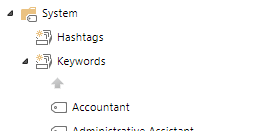
- Copy the Keywords term set id to Notepad for later use.
- If you already have a term set for Document Types setup, go to step 7.
- Create a new term set for Document Types.
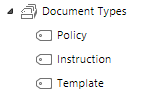
- Copy the Document Types term set id to Notepad for later use.
- Go to Omnia Admin > System Extensions.
- Click on Omnia.QMS and set the values:
- term store id
- term set id for document type
- term set id for tags and search tags
Core Feature
- Go to Omnia Admin > Features.
- Activate the tenant feature “Omnia QMS Core”.