Omnia
latest
Introduction
My Workplace
Team Collaboration
People and Networking
Web Content Management
Navigation
Web Pages
Setup Publishing Site
Manage Content
Image Picker
Media Picker
Page Layouts
Page Properties
Page Footer
Setup Page Footer
Quick Pages
Comments and Likes
Multi Lingual Pages
Trending Pages
Web Editor Reports
Third Party Statistics
News
Publishing Features
Document Management
Quality Management
Tenant Administration
OmniaX
Release Notes
Contribute to this Documentation
Omnia
Docs
»
Web Content Management
»
Web Pages
»
Page Footer
»
Setup Page Footer
Edit on GitHub
Setup Page Footer

Go to Omnia Admin > Features.
Activate the tenant feature “Omnia Intranet Page Footer”.
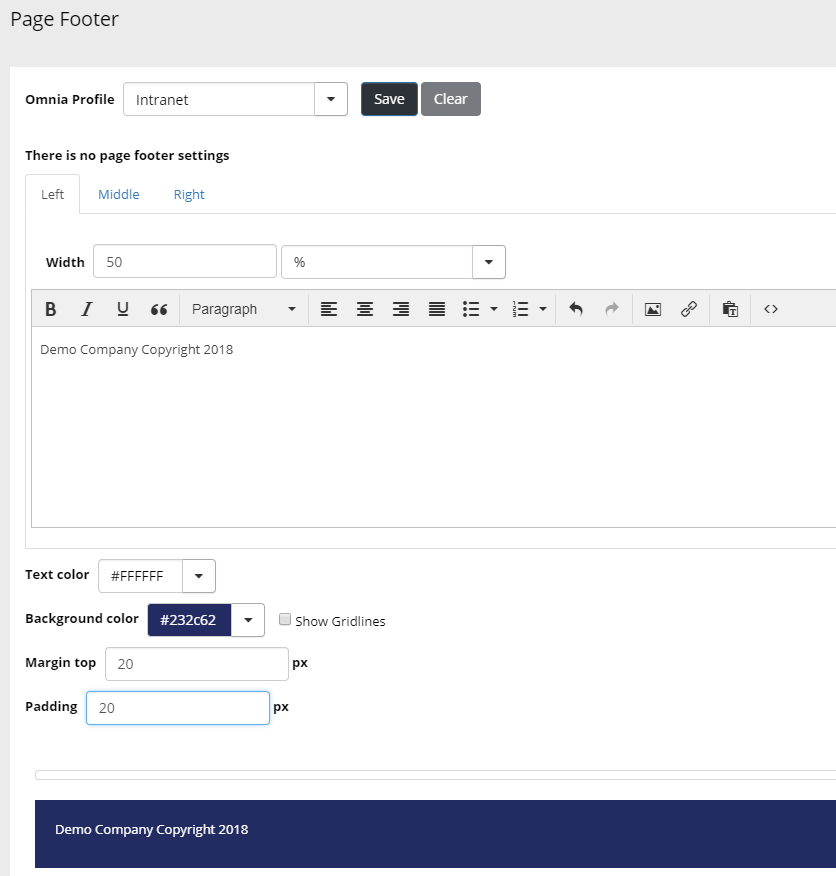
Go to Page Footer and add a new footer for one of your Omnia Profiles.