Omnia
latest
  • Introduction
  • My Workplace
    • Notification Panel
    • User Feed
    • My Links
    • Common Links
    • Cross Site Header
    • Quick Search and Advanced Search
      • Setup Enterprise Search Center
      • Setup Delve People Search
      • Setup Result Source
      • Activate Modern Search
    • My Recent Documents
    • Select language
  • Team Collaboration
  • People and Networking
  • Web Content Management
  • Document Management
  • Quality Management
  • Tenant Administration
  • OmniaX
  • Release Notes
  • Contribute to this Documentation
Omnia
  • Docs »
  • My Workplace »
  • Quick Search and Advanced Search »
  • Activate Modern Search
  • Edit on GitHub

Activate Modern Search

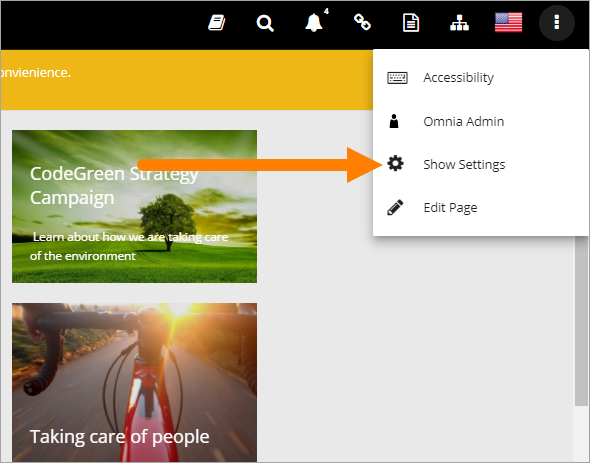
To be able to use modern search it must first be activated. Do the following:

  1. Show settings.
../../../_images/modern-search-show-settings.png
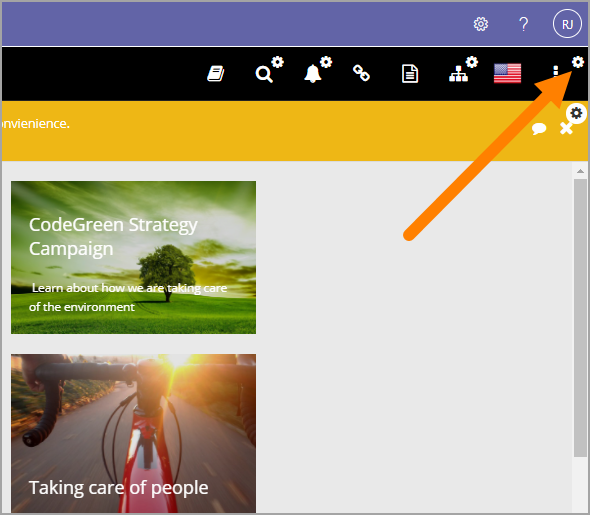
  1. Open the Header settings.
../../../_images/modern-search-header-settings.png
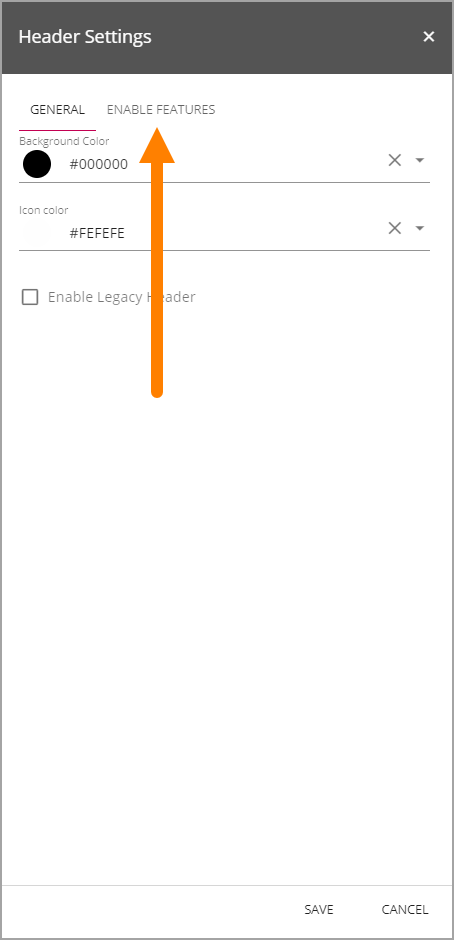
  1. Select “ENABLE FEATURES”.
../../../_images/modern-search-header-enable-features-frame.png
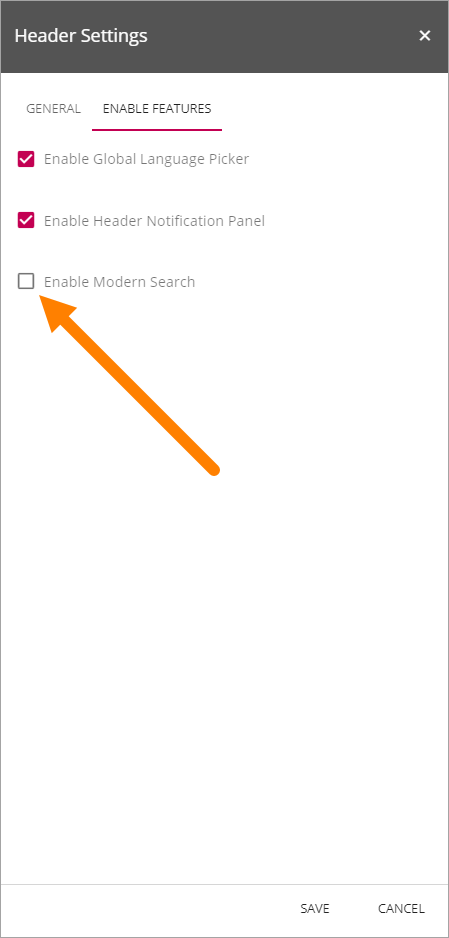
  1. Select “Enable Modern Search”.
../../../_images/modern-search-header-enable-search.png

You can now edit the settings for search:
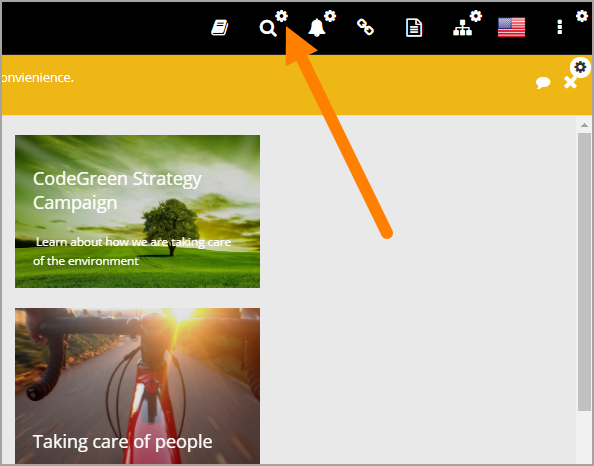
../../../_images/modern-search-settings.png

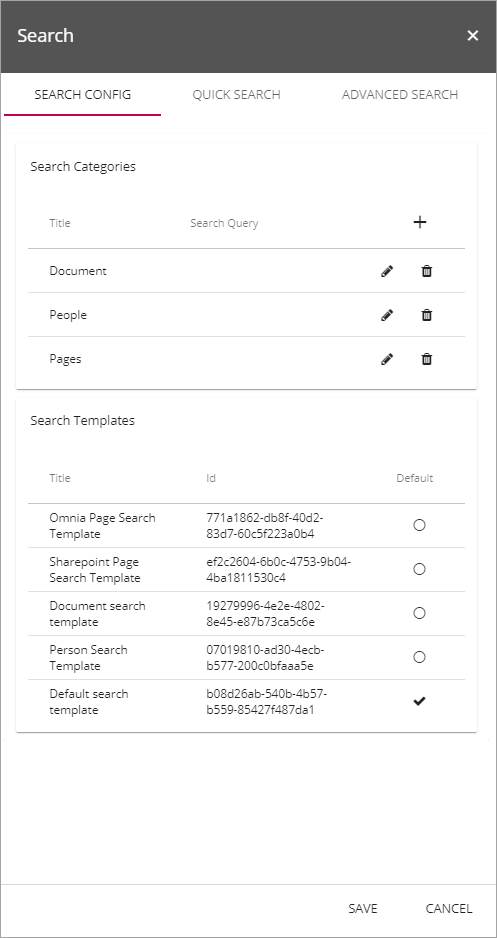
These settings are available:

../../../_images/modern-search-settings-all.png

See this page for a detailed description of the settings: Quick Search and Advanced Search

Next Previous

© Copyright 2023, Precio Fishbone Revision 0fb25388.

Built with Sphinx using a theme provided by Read the Docs.